
iPhone automations in 2026 are powerful enough to remove dozens of tiny daily decisions, but a lot of people abandon them because they feel unreliable. An automation works for a week, then “randomly” stops. A sleep routine triggers at the wrong time. A location routine fires when you pass near a place, not when you arrive. Or a charging automation spams notifications because it’s too sensitive. The real lifehack is building automations like a system, not like a one-off trick. Reliable automations come from three things: choosing triggers that are stable, adding exceptions so you don’t get false triggers, and testing in a controlled way before you depend on it. When you do that, automations become the quiet backbone of your day: your phone changes modes when you actually want it to, your charging routine protects battery health without constant thought, and your location actions happen only when they’re genuinely useful. The best automations save time because they reduce friction, not because they add complexity. The goal is fewer taps, fewer “did I remember?” moments, and fewer interruptions.
Charging automations that help instead of nagging: smart reminders, power mode changes, and battery-friendly routines
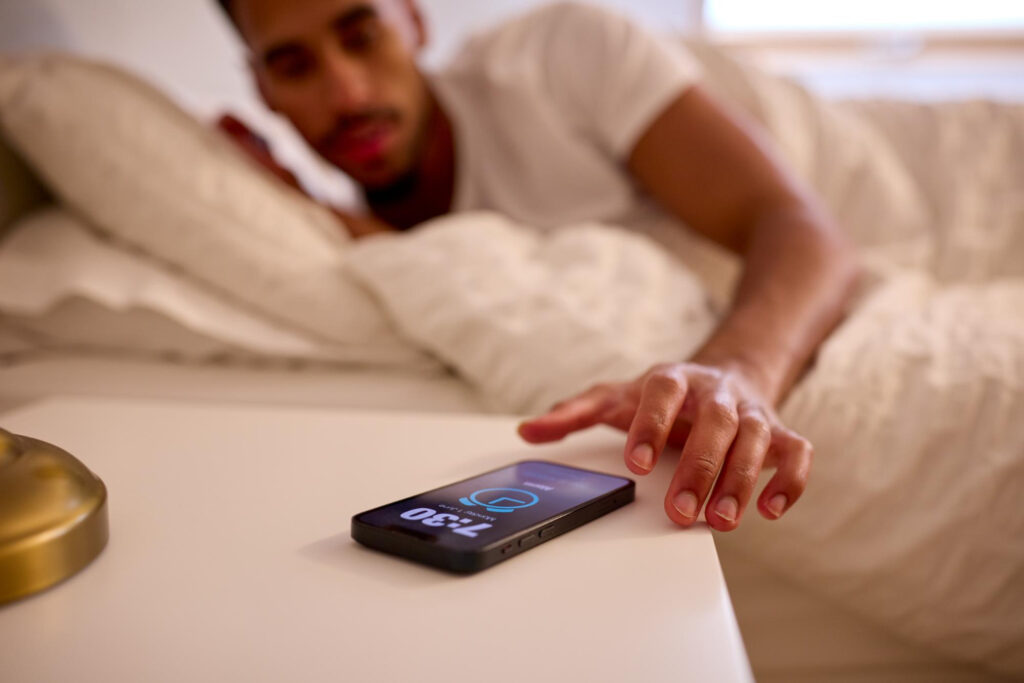
Charging is a perfect automation target because it happens every day and it’s easy to attach actions to it. The lifehack is keeping charging automations simple and purposeful. For example, a “plugged in” trigger can enable a quiet focus mode for the evening, reduce screen brightness, or start a calming playlist—but only if you actually want that behavior every time you charge. A more reliable use is creating a reminder that prevents overnight surprises. If you often forget to plug in, an automation can prompt you at a specific time if your battery is below a threshold, which is more reliable than trying to guess based on charging behavior alone. Another practical routine is switching low power mode on when you unplug in the morning if your battery is below a certain level, so you don’t start the day with hidden drain. If your iPhone supports optimized charging behavior, you can pair that with a charging routine that keeps heat low—like enabling a night mode that reduces background noise and screen activity while charging. The key is avoiding automations that create constant alerts. If an automation triggers every time you connect to a charger in the car, at a desk, and at home, it may become annoying and you’ll disable it. A reliable approach is focusing on one charging context—night charging, for example—and tying the automation to time plus charging status, not charging alone. That creates fewer triggers, fewer false positives, and a routine you’ll actually keep.
Sleep automations that feel natural: focus modes, wind-down settings, and exceptions for real life
Sleep routines fail when they don’t respect real life. The lifehack is building a sleep automation around a stable time window and an “escape hatch.” Use a sleep focus or bedtime focus that turns on at a consistent time, reduces notifications, and adjusts your home screen so you’re not tempted by noisy apps. Keep the actions minimal: dim the screen, silence non-essential notifications, maybe turn on a specific alarm or sound profile. Then add exceptions. If you sometimes stay up later on weekends or have nights where you want notifications, you need a way to override the routine without breaking it permanently. That can mean creating a quick toggle action on your home screen or control center, or setting the routine to ask for confirmation when it triggers. The key is consistency: the automation should behave the same way every night unless you intentionally override it. Also avoid stacking too many actions that depend on external conditions, like launching apps that might fail, connecting to devices that might not be available, or requiring a specific network. Sleep automations should be resilient even if Wi-Fi is down or a device isn’t connected. Another reliability trick is keeping your sleep routine separate from your wake routine. If you tie everything into one chain, one failure can break the whole flow. A good sleep automation is boring: it reliably reduces stimulation and interruptions, and it never surprises you with a loud notification at midnight because a condition changed.
Location routines that don’t misfire: arrival vs passing by, Wi-Fi triggers, and “only when” rules
Location is the most powerful automation trigger and also the most likely to misbehave if you don’t constrain it. The lifehack is being specific about what “location” means. “When I arrive” is different from “when I’m near,” and GPS accuracy can drift in dense city areas. To make routines reliable, pair location with another signal when you can. Wi-Fi is a great companion trigger: when your phone connects to your home Wi-Fi, that’s a strong indicator you’re actually home, not just passing near your building. Similarly, connecting to a car’s Bluetooth can be a clean trigger for driving actions, like enabling a driving focus, launching navigation, or setting volume levels. For office routines, connecting to the office Wi-Fi is often more reliable than a geofence, because it won’t trigger when you walk past the building. Another lifehack is adding “only when” rules. For example, a “home arrival” automation can be set to run only during certain hours, so you don’t trigger it when you return briefly at midday. Or a “leave home” routine can run only on weekdays. You’re not making it complicated—you’re removing false triggers. Also be careful with actions that create noise, like playing audio automatically or sending messages, because a misfire becomes embarrassing or disruptive. Start with silent actions: setting focus mode, adjusting brightness, or opening a checklist. Then, once you trust the trigger, you can add more. Location routines should feel like a helpful assistant, not like a jumpy robot that reacts to every movement.
Make automations reliable: reduce dependencies, test in small steps, and keep a quick troubleshooting habit

The final lifehack is the reliability workflow. Automations “break randomly” most often because they depend on too many moving parts: an app that changes permissions, a device that isn’t connected, a focus mode that conflicts with another, or a condition that you assumed would always be true. Build automations in small steps. First create the trigger and one simple action, then test it. After it works consistently, add the next action. This makes it obvious which step caused problems. Also minimize dependencies. Prefer system-level actions like focus modes, brightness, and notifications over actions that rely on third-party apps opening perfectly. Third-party actions can be great, but they’re more likely to fail after updates or permission changes. Then do a quick test routine whenever you create something new: run it once manually if possible, trigger it once naturally, and confirm the outcome is exactly what you expect. If you notice inconsistency, simplify before you add more. Finally, keep a small set of “core” automations rather than dozens. A few reliable routines—charging night mode, sleep focus, home arrival focus, car driving routine—save more time than a long list of fragile ones. In 2026, the best iPhone automations are the ones you forget exist because they simply work.
Leave a Reply